
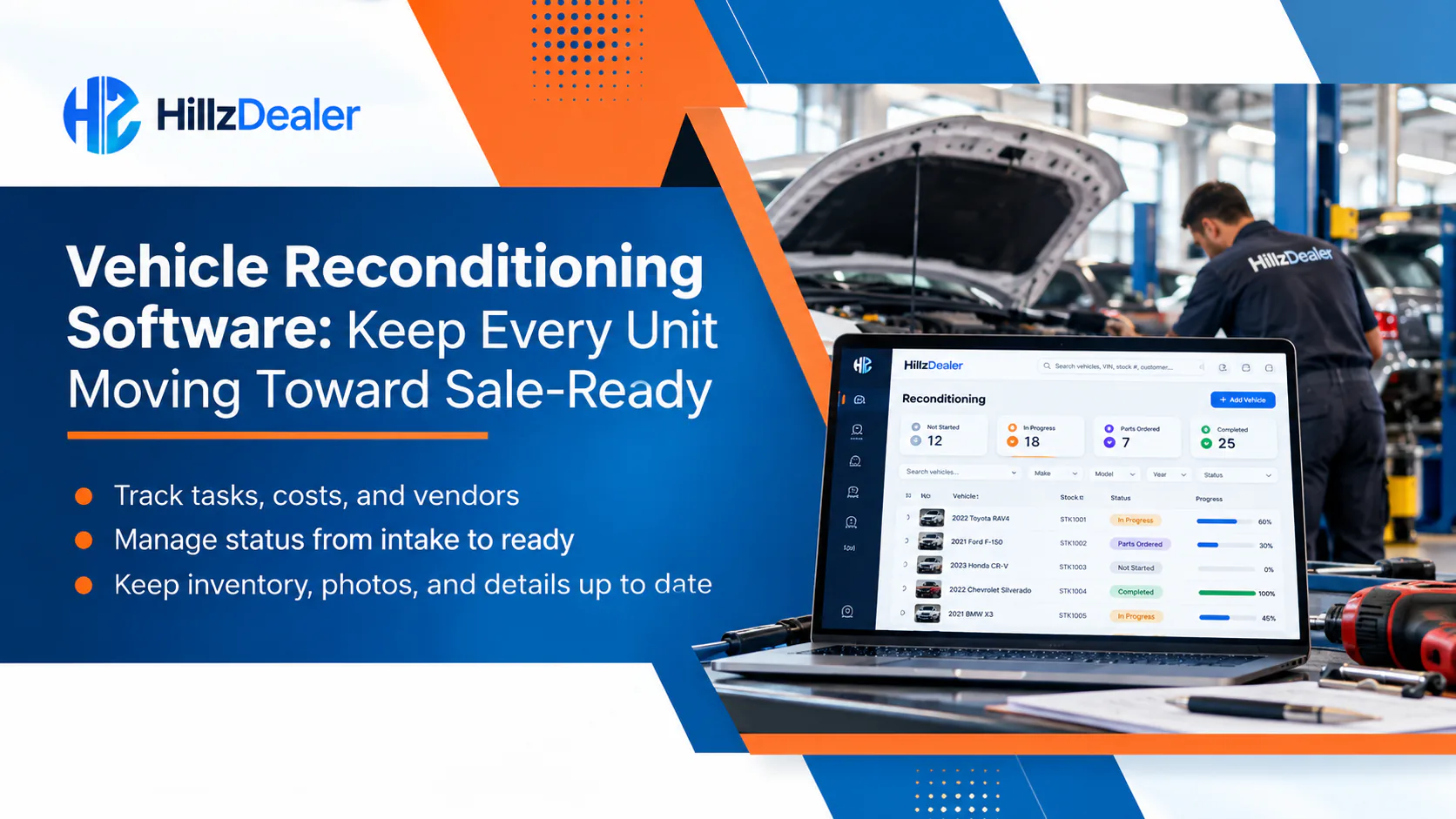
A vehicle can be physically on the lot and still be days away from being ready to merchandise or sell. Inspection, mechanical work, tires, glass, detailing, photography, vendor visits, cost entry, and final inventory updates may involve different people and systems. When the current status lives in messages, paper notes, spreadsheets, and individual memory, the dealership can lose a clear view of what has happened and what still needs attention.
Vehicle reconditioning software gives authorized dealership teams a structured way to keep preparation activity connected with the vehicle it belongs to. The goal is not to automate every decision or repair. It is to create a clearer operational record for status, work, vendors, costs, notes, and the handoff back to sale-ready inventory.
This guide explains what dealerships should look for in a reconditioning workflow, how that workflow connects with inventory and accounting, and which questions to ask during a software demonstration.
What is vehicle reconditioning software?
Vehicle reconditioning software helps a dealership organize the work required to move an acquired or traded vehicle toward a defined sale-ready state. Depending on the dealership, that preparation may include:
- intake or initial inspection
- mechanical diagnosis and repair
- tires, brakes, glass, paint, or cosmetic work
- detailing and cleaning
- outside-vendor activity
- vehicle-specific cost records
- notes and work history
- status changes and completion review
- inventory, merchandising, and sales-team handoffs.
The system is most useful when this information stays attached to one vehicle record. That gives an authorized employee a more complete answer to practical questions: Where is this unit? What work was identified? Who is responsible? Has an outside vendor been involved? Which costs have been recorded? Is the vehicle actually ready for the next step?
HillzDealer Vehicle Reconditioning Software connects supported preparation status, repair and reconditioning records, vendor information, costs, notes, inventory information, and broader dealership workflows. Exact configuration, access, and integrations should be reviewed against the dealership’s process.

Begin with one connected vehicle record
Reconditioning should begin with a reliable inventory record—not a separate spreadsheet row that must later be reconciled with the DMS. At intake, authorized employees may need to review or record the VIN, stock number, acquisition source, location, mileage, condition, existing notes, and other relevant details.
That record becomes the operational reference point for subsequent preparation activity. Inspection findings, work notes, vendor details, and supported costs can be associated with the same inventory unit rather than being reconstructed from unrelated systems.
This connection matters when the dealership has similar vehicles, multiple lots, or several employees involved. A stock number and VIN provide better context than a message such as “the silver SUV needs tires.” A connected record also helps reduce the chance that a cost, note, or completion update is associated with the wrong unit.
Dealerships reviewing this part of the workflow should ask whether the reconditioning view uses the same underlying vehicle information as inventory management, how corrections are handled, and which roles can change key details.
Use a defined status without treating it as automatic
Every dealership has its own preparation process. One operation may use a short sequence such as inspection, repair, detail, and ready. Another may need separate stages for estimates, internal work, vendor work, parts, photography, compliance review, or manager approval.
Software can give the dealership a shared place to maintain those stages and the current status. It does not mean the vehicle advances automatically or that a status label proves the physical work is complete. Employees still need to inspect the unit, record findings, verify work, and apply the dealership’s approval process.
A practical status structure should answer three questions:
- What stage is the vehicle in now?
- What activity or decision is required next?
- Who is responsible for reviewing or completing that work?
During a demonstration, ask what triggers a status change, whether the system records who changed it and when, and how employees correct an inaccurate update. If the dealership uses approvals, confirm how those approvals are represented and which users have authority to provide them.
Record repair and preparation activity by vehicle
A useful reconditioning record should show the work that was identified and the activity that followed. Depending on the dealership’s selected setup, this can include repair notes, inspection observations, preparation tasks, service history, internal work, vendor connections, and completion information.
The operational value comes from context. A task called “replace tire” is more useful when it is associated with the correct unit, a note or inspection finding, the responsible team or vendor, and the applicable cost record. The same principle applies to detailing, paint correction, glass service, wheel repair, key replacement, or other preparation work.
Dealerships should also decide how much detail they need. A simple operation may only require a few status and note fields. A larger group may require role-based views, location information, vendor history, and management reporting. More fields are not automatically better; the right setup is the one employees can use consistently while preserving the information management actually needs.
Coordinate internal teams and outside vendors
Vehicle preparation often crosses department boundaries. Inventory employees, technicians, managers, detailers, photographers, administrators, and sales staff may all need different parts of the record. Outside vendors may handle glass, tires, mechanical work, cosmetic repair, detailing, keys, transport, or other services.
A connected system can help keep supported vendor information and related activity associated with the vehicle. That can give authorized employees a clearer history of which provider was involved, what work was recorded, and which charges or purchase information apply.
The software does not replace the dealership’s vendor approval, purchasing, safety, quality-control, or invoice-review procedures. Those responsibilities remain with the dealership. During evaluation, ask:
- Can users distinguish internal work from outside-vendor work?
- Can vendor activity be connected to the correct vehicle?
- Which employees can add or change vendor and purchase information?
- Can notes and applicable documents remain with the vehicle history?
- How does the dealership verify that recorded work is physically complete?
- How are invoice discrepancies or corrections handled?
These questions reveal whether the workflow supports the dealership’s real process instead of merely providing a generic task list.
Keep reconditioning costs connected with the unit
Acquisition price is only one part of a vehicle’s cost profile. Applicable transportation, inspection, repair, parts, outside-vendor, detailing, and preparation expenses may change the amount the dealership has invested in the unit.
Reconditioning software can help associate supported costs with the correct vehicle. When those records also connect with dealership accounting, authorized teams can review vehicle-specific expenses in a broader financial context. The exact categories, posting process, integrations, tax treatment, and reporting depend on the dealership’s configuration and professional requirements.
This is an area where careful language matters. Entering a cost in a reconditioning record does not necessarily mean it has been approved, paid, posted to a ledger, or treated correctly for accounting or tax purposes. Dealerships should ask the provider to demonstrate the actual path from estimate or work record to expense, vendor, approval, accounting, and reporting records.
Useful review questions include:
- Which cost types can be associated with a vehicle?
- Is there a distinction between an estimate and a recorded expense?
- Who can enter, approve, revise, or remove a cost?
- Does the history show corrections?
- How do vendor charges connect with the vehicle?
- Which information appears in accounting and reporting?
- Which steps still require employee or professional review?
Make the sale-ready handoff explicit
“Work completed” and “ready for sale” do not always mean the same thing. A repair may be finished while the vehicle still needs detailing, photos, pricing review, merchandising information, or a final manager check. A connected process should make the handoff explicit instead of assuming that one completed task changes the entire inventory state.
The dealership can define what sale-ready means for its operation. The final check might cover physical condition, recorded work, keys, documents, photos, pricing, vehicle description, and the inventory status used by sales or website workflows. Employees remain responsible for verifying the vehicle and applying the correct status.
When reconditioning and inventory share context, the sales team can work from a clearer status rather than relying on an informal message. That does not guarantee that every downstream channel updates automatically. The dealership should confirm which supported inventory, website, marketplace, and merchandising workflows are configured and who reviews information before publication.
Give managers visibility into exceptions
Managers rarely need another dashboard simply for the sake of having one. They need a way to identify units that require attention and understand the reason.
Depending on the selected configuration and available data, connected reporting and analytics can help authorized users review inventory status, aging, days in stock, vehicle costs, reconditioning information, vendor activity, and location context. That may help a manager ask better operational questions:
- Which units are still in preparation?
- Which vehicles have no recent recorded activity?
- Where is a vendor or approval handoff outstanding?
- Which vehicles have higher recorded preparation costs?
- Is the sale-ready status consistent with the recorded work?
- Are similar delays appearing at one location or stage?
Reports depend on accurate entries and the dealership’s configured workflow. A report cannot see unrecorded work, confirm physical quality, or explain every delay on its own. Employees and managers still need to review the vehicle, notes, vendors, and operating conditions.
Support more than one dealership structure
The underlying need is similar across dealership types, but the workflow can differ.
Independent dealerships
A smaller team may use a concise sequence and have employees cover several responsibilities. The priority may be a shared vehicle record, clear status, vendor notes, and cost visibility without unnecessary complexity.
Established single-location dealerships
More departments can make handoffs important. Inventory, service, administration, sales, and management may need different views or permissions while working with the same unit.
Franchise dealerships
Defined roles, approvals, brand or store processes, and reporting requirements may create a more structured workflow. The dealership should confirm how the software supports its specific policies and systems.
Multi-location automotive groups
Location, role, vehicle movement, vendor coverage, and group-level reporting become important. Teams should verify how access differs by rooftop and whether authorized managers can review supported information across locations. HillzDealer also provides software for franchise and multi-location dealerships.
No dealership should assume that a demonstration configuration exactly matches its operating requirements. Ask the provider to use a realistic sample process from the dealership during evaluation.
Compare connected reconditioning with disconnected tracking
The purpose of a connected workflow is not to eliminate every spreadsheet or message. It is to keep the operational record needed by the dealership closer to the vehicle and the systems that use it.
| Workflow question | Disconnected tracking can require | A connected workflow should demonstrate |
|---|---|---|
| Which unit is involved? | Rechecking stock numbers across notes, messages, and sheets | One vehicle record with relevant identifiers and history |
| What work is required? | Separate inspection notes and task lists | Supported findings, work records, notes, and current status by vehicle |
| Who is involved? | Calls or messages to locate the employee or vendor | Recorded team/vendor context and applicable activity |
| What has it cost? | Reconciling invoices and vehicle spreadsheets later | Supported vehicle-specific costs connected with accounting context |
| Is it sale-ready? | Informal confirmation from several people | An explicit employee-reviewed status and documented handoff |
| Which units need attention? | Manually reviewing every row or conversation | Supported status, aging, cost, vendor, and exception visibility |
The important word is “demonstrate.” Ask to see each workflow using the roles, vehicle types, vendors, locations, and approvals that matter to the dealership.
Questions to ask in a vehicle reconditioning software demo
Bring one recent vehicle example—without exposing unnecessary personal information—and ask the provider to walk through the process from acquisition to sale-ready status.
- How does a vehicle enter the reconditioning workflow?
- Which status stages can be configured?
- Who can create, assign, update, verify, and close work?
- How are internal and outside-vendor activities distinguished?
- Can notes, applicable documents, and work history stay with the unit?
- How are estimates, recorded costs, invoices, approvals, and accounting records differentiated?
- How does reconditioning connect with inventory status?
- What happens before a vehicle is marked sale-ready?
- Which reports identify vehicles that may require attention?
- How do permissions and visibility differ by role or location?
- What integrations or configuration are required?
- Which actions remain manual and subject to employee review?
A useful demonstration should make the handoffs visible and identify the limits of the selected configuration. It should not rely on an idealized screen that skips the work of verification, approvals, cost review, or status maintenance.
Connect reconditioning with the wider dealership workflow
Reconditioning is one stage in a longer vehicle lifecycle. The vehicle begins with acquisition and inventory information, moves through preparation and merchandising, may attract customer interest, and can then proceed into pricing, deal, document, payment, accounting, and reporting workflows.
Using a connected Dealer Management System can keep more of that context within one dealership environment. The practical benefit is continuity: authorized employees can work from related vehicle, customer, deal, cost, document, and reporting information instead of repeatedly rebuilding context.
Connections still need to be configured and verified. Dealerships should review user access, data ownership, integrations, correction paths, backups, training, and support before relying on any system in daily operations.
Frequently asked questions about vehicle reconditioning software
What is vehicle reconditioning software?
Vehicle reconditioning software helps dealerships organize supported preparation activity around each vehicle. It may include status, inspection or work notes, repair and preparation records, vendors, applicable costs, activity history, inventory connections, and reporting visibility.
Why do dealerships use reconditioning software?
Dealerships use it to create a clearer shared record of what work has been identified, what has been recorded as completed, which employees or vendors are involved, which supported costs apply, and whether the vehicle has reached the dealership’s defined next stage.
Can reconditioning software track outside vendors?
It can support vendor records and connect applicable outside work, purchase information, notes, and costs with the relevant vehicle. The dealership remains responsible for vendor selection, authorization, invoice review, quality control, and payment procedures.
Does vehicle reconditioning software connect with inventory?
It can connect preparation status and activity with the vehicle’s inventory record. HillzDealer connects supported reconditioning information with inventory workflows so authorized teams can review vehicle preparation in broader inventory context.
Can reconditioning costs connect with accounting?
Supported repair, preparation, and vendor costs can be associated with a vehicle and connected with accounting information. The exact categories, approvals, integrations, posting process, and financial treatment depend on configuration and the dealership’s accounting requirements.
Is a completed repair the same as a sale-ready vehicle?
Not necessarily. The vehicle may still require detailing, photography, pricing, merchandising information, documents, or final review. Dealerships should define their sale-ready criteria and require authorized employees to verify the status.
Can multi-location dealerships use vehicle reconditioning software?
Reconditioning workflows can support location, vehicle, user, vendor, and reporting requirements across dealership operations. Multi-location groups should verify role-based access, vehicle transfers, location-specific processes, and authorized group visibility during evaluation.
Does reconditioning software automate the entire process?
No. Software can organize records, statuses, work, vendors, costs, notes, and reporting, but employees still inspect vehicles, make decisions, authorize work, verify completion, review accounting treatment, and apply the correct inventory status.
Related Reading
- Dealership Inventory Management Software: What to Track Beyond Vehicle Listings
- Dealership Accounting Software: Track the Full Cost of Every Vehicle
Topics