
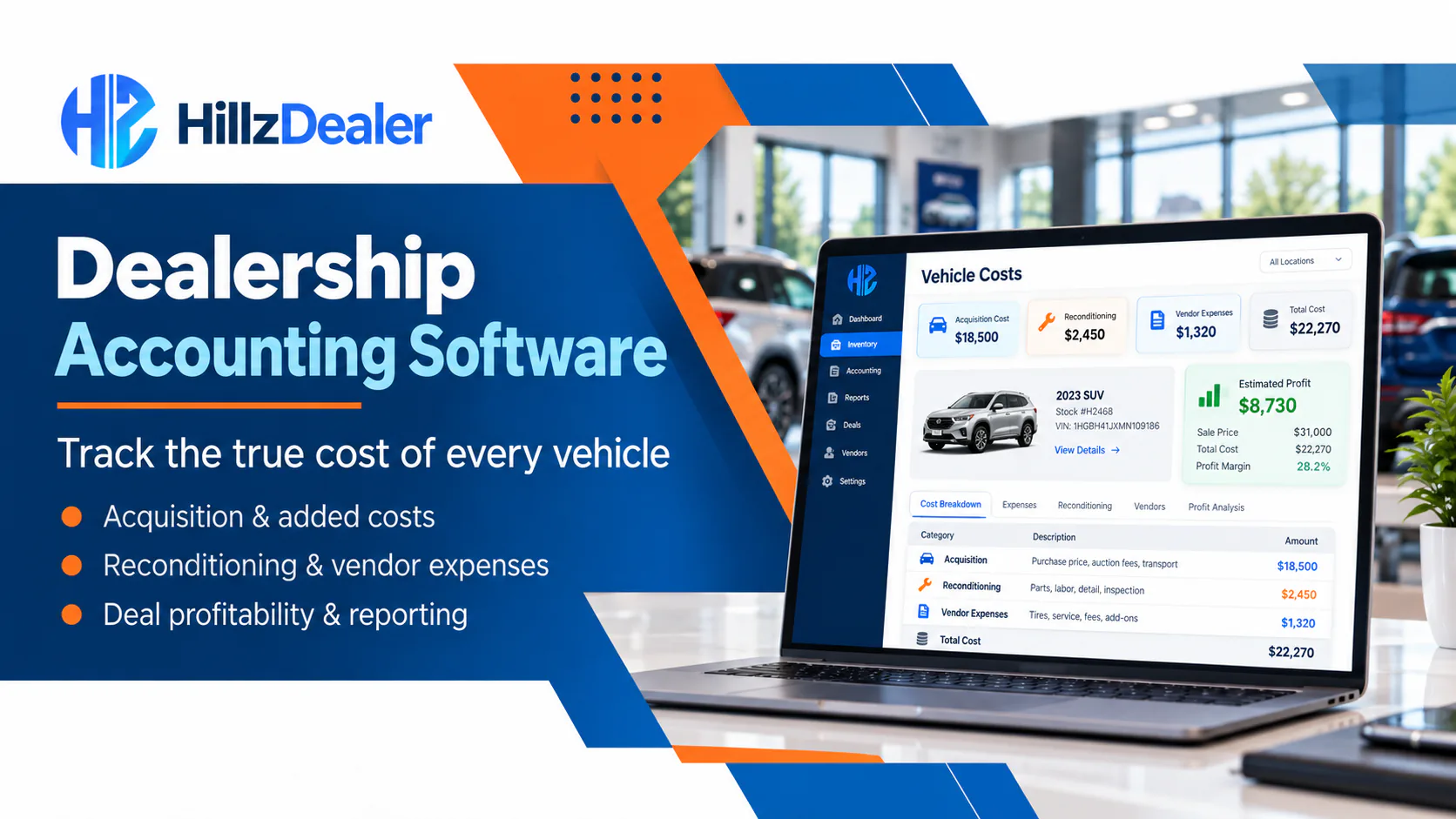
A vehicle’s purchase price is only the beginning of its financial story.
Before a vehicle is sold, a dealership may record transportation, buyer or auction fees, inspections, repairs, reconditioning, outside-vendor work, parts, detailing, and other applicable costs. Those amounts can affect pricing decisions, deal review, inventory reporting, and management’s understanding of the transaction.
The challenge is keeping the information connected to the correct vehicle. When purchase details, repair invoices, vendor charges, payment records, and deal information live in separate spreadsheets, inboxes, and systems, employees may need to reconstruct the cost history manually.
This guide explains how dealership accounting software can help organize vehicle-related financial records from acquisition through sale. It is relevant to independent dealerships, established single locations, franchise stores, and multi-location automotive groups across Canada and the United States.
HillzDealer Dealership Accounting connects supported vehicle costs, expenses, payments, vendors, sale information, and financial reporting with inventory and dealership workflows. The exact accounting treatment, integrations, categories, and reports depend on the dealership’s systems, configuration, location, and professional requirements.
What Is a Vehicle Cost Profile?
A vehicle cost profile is an organized record of the supported amounts and activity associated with one inventory unit. It can begin with acquisition information and continue as the vehicle moves through transportation, inspection, preparation, repair, merchandising, customer activity, and sale.
Depending on the dealership’s process, the record may include:
- purchase or acquisition cost
- applicable taxes or acquisition charges
- auction or buyer fees
- transportation costs
- inspection and preparation expenses
- repair and reconditioning costs
- outside-vendor charges
- parts, detailing, or cosmetic work
- other approved vehicle-specific expenses
- pricing and sale information
- customer payment activity
- related deal and reporting records
Not every amount is handled the same way for accounting or tax purposes. Categories and treatment can vary by jurisdiction and dealership policy. Software should preserve the operational record; the dealership and its accounting professionals remain responsible for determining the correct financial treatment.
1. Start with Clear Acquisition Information
The first record should identify how the vehicle entered inventory and the supported cost information attached to that acquisition.
Useful acquisition context may include the source, purchase amount, purchase date, vehicle identifiers, location, payment method, and applicable fees. The exact fields depend on how the dealership acquires vehicles and how its accounting process is configured.
The objective is not to create the longest possible form. It is to create a reliable starting point that authorized employees can connect with later costs and activity.
Dealerships comparing accounting platforms should ask:
- Can acquisition costs be associated with the correct vehicle?
- Can the system distinguish vehicle-specific expenses from general operating expenses?
- Can supporting notes or documents remain connected with the record?
- Can corrections be controlled and reviewed?
- Can authorized managers see who entered or changed information?
HillzDealer can keep supported vehicle purchase costs and applicable additional expenses connected with the relevant inventory record.
2. Separate the Purchase Price from the Complete Vehicle Investment
The purchase amount alone does not show the full operational investment in a vehicle.
A dealership may incur transportation, auction charges, inspection expenses, repairs, reconditioning, vendor work, parts, and other approved costs before the unit is ready for customers. If those amounts are recorded elsewhere, management may see an incomplete picture when evaluating pricing or a proposed deal.
A clearer workflow keeps each supported cost associated with the vehicle and identifies its source. The record should make it possible to distinguish:
- the original acquisition amount
- acquisition-related fees
- transportation or delivery costs
- repair and preparation expenses
- outside-vendor charges
- other approved additions
The categories should match the dealership’s accounting practices. A generic “other” field can be useful for an exception, but it should not become the normal place for every cost.
3. Connect Repair and Reconditioning Costs to the Vehicle
Vehicle preparation may involve mechanical repairs, tires, glass, bodywork, cosmetic correction, detailing, inspection, or other supported activity. Work may be completed by dealership employees, outside vendors, or both.
When repair and preparation records remain connected with the vehicle, authorized employees can review what work was recorded, which vendor was involved, and which applicable expense was added.
HillzDealer Vehicle Reconditioning Software connects supported preparation status, repair and reconditioning records, outside vendors, costs, notes, and inventory information around the vehicle.
The operational record should not be mistaken for automated accounting treatment. The dealership still needs controls for invoice review, approval, categorization, corrections, and any posting or integration process used by its accounting team.
4. Keep Vendor Expenses Understandable
Outside vendors can contribute substantially to a vehicle’s preparation cost. A clear record should identify the vendor, relevant vehicle, supported work or expense, date, amount, and any review status used by the dealership.
Good vendor-cost visibility can help answer practical questions:
- Which vehicle did the charge relate to?
- What work or service was recorded?
- Was the expense vehicle-specific or general?
- Has the information been reviewed?
- Is the vendor record consistent across locations?
- Does the amount need to connect with another accounting system?
The software should support the dealership’s controls rather than implying that every vendor invoice is automatically approved or posted.
5. Connect Accounting Information with Inventory
Inventory employees and accounting employees may view the same vehicle from different perspectives. Inventory teams focus on status, location, pricing, photos, customer activity, and sale readiness. Accounting teams focus on costs, expenses, payments, vendors, and financial records.
Connecting those perspectives helps reduce the need to reconcile multiple descriptions of the same unit.
HillzDealer Inventory Management can keep vehicle information, status, pricing, costs, photos, customer activity, and deal progress within a connected record. Supported accounting workflows can keep acquisition costs, applicable expenses, repair activity, and sale information closer to that inventory history.
Access should remain role-based. A salesperson may need pricing and availability without access to every financial detail. An accounting or management user may need deeper cost visibility. The dealership should determine permissions based on employee responsibility.
6. Review Sale and Profit Information in the Right Context
Once the vehicle is sold, the dealership can review sale information alongside the supported acquisition costs and additional expenses attached to the vehicle.
That creates useful transaction context, but an operational vehicle gross or cost comparison should not automatically be described as complete accounting profit. A full financial result may involve payroll, commissions, financing costs, overhead, tax treatment, shared expenses, adjustments, and other records outside the individual vehicle profile.
Dealership software should therefore explain what a number includes. Managers should be able to distinguish a vehicle-level operational view from formal financial statements or complete accounting results.
HillzDealer connects supported sale, cost, expense, payment, and transaction information to give authorized users clearer visibility into the records behind the deal.
7. Keep Payment Records Connected to the Correct Transaction
Payment activity should remain connected with the correct customer, vehicle, and deal. This can help authorized employees review what was recorded without searching across unrelated records.
A useful payment workflow may include supported payment amount, date, method, status, history, related customer, and transaction reference. Recording payment information does not by itself prove settlement, bank movement, accounting posting, or reconciliation. Those distinctions should be clear.
HillzDealer Deal Management Software connects supported customer, vehicle, pricing, trade-in, document, payment, and transaction information within the broader dealership workflow.
8. Use Reporting to Review Costs and Exceptions
Management reporting should help users find issues that require attention rather than merely display totals.
Depending on the selected configuration, useful review areas may include:
- acquisition and vehicle-cost information
- expenses by category or vehicle
- repair and reconditioning costs
- vendor expense information
- payment activity
- sale and transaction context
- location-level activity
- records missing expected information
HillzDealer Reporting & Analytics supports connected operational reporting across inventory, deals, accounting, sales, and multi-location workflows. Available reports and calculations depend on selected products, data, configuration, and dealership requirements.
9. Evaluate Accounting Integrations Carefully
An integration should be evaluated by what information moves, in which direction, how often it moves, and what happens when a record is rejected or changed.
HillzDealer currently describes QuickBooks integration as available for supported accounting workflows. Exact capabilities depend on the dealership configuration, QuickBooks account, selected products, provider access, data formats, and technical requirements. Other accounting or bookkeeping connections can be evaluated when required APIs, permissions, and technical capabilities are available.
Before implementation, ask:
- Which record types are supported?
- Does data move one way or both ways?
- What triggers a transfer?
- How are duplicates prevented?
- How are corrections and exceptions handled?
- Which system remains the authoritative record?
- Which users can review or retry an exception?
- What testing is required before launch?
For a specific integration review, contact HillzDealer with the accounting product, version, account type, required records, and current dealership workflow.
Dealership Vehicle-Cost Checklist
| Stage | Information to review | Control question |
|---|---|---|
| Acquisition | Source, vehicle, purchase amount, date, payment method | Is the starting cost connected to the correct unit? |
| Acquisition-related costs | Transport, auction/buyer charges, inspections, other approved expenses | Are categories clear and supported by the dealership’s process? |
| Preparation | Repairs, parts, detailing, reconditioning activity | Is each applicable expense associated with the vehicle? |
| Vendors | Vendor, work, date, amount, notes | Who reviewed the charge and how are exceptions handled? |
| Inventory | Status, location, pricing, readiness, vehicle history | Can inventory and accounting users work from consistent information? |
| Deal | Customer, vehicle, pricing, trade-in, documents, payments | Does the financial context remain connected to the transaction? |
| Sale review | Sale information, vehicle costs, applicable expenses | Is the displayed figure clearly defined and not overstated? |
| Reporting | Costs, vendors, payments, exceptions, location | Can managers identify incomplete or unusual records? |
| Integration | Record types, direction, timing, errors, authority | Is the accounting-system connection documented and tested? |
Connected Accounting vs. Isolated Expense Tracking
A spreadsheet can record expenses. A bookkeeping platform can maintain financial records. The advantage of connected dealership accounting software is the ability to preserve the vehicle, inventory, customer, deal, vendor, payment, and operational context behind supported amounts.
The correct architecture depends on the dealership. Some businesses will keep an external accounting system as the financial system of record while using connected dealership software for operational cost and transaction visibility. Others may use a broader collection of dealership accounting workflows. The required integrations, controls, reporting, and responsibilities should be agreed before implementation.
HillzDealer’s Dealer Management System connects supported accounting information with inventory, customers, deals, documents, payments, reporting, and other dealership workflows.
Frequently Asked Questions
What is dealership accounting software?
Dealership accounting software helps organize financial information connected with automotive operations, such as vehicle costs, expenses, sales, payments, vendors, and reporting. Capabilities and accounting scope vary by provider and configuration.
What costs should a dealership track for each vehicle?
Depending on dealership policy, supported records may include acquisition cost, applicable fees, transportation, inspections, repairs, reconditioning, vendor charges, parts, detailing, and other approved vehicle-specific expenses. Accounting and tax treatment should be determined by the dealership and its professionals.
Can reconditioning costs be connected to inventory?
Yes, when the platform supports the workflow. Connecting repair, vendor, and preparation expenses with the vehicle record gives authorized employees clearer cost context throughout the inventory lifecycle.
Is vehicle gross the same as complete dealership profit?
Not necessarily. A vehicle-level comparison may omit commissions, payroll, overhead, financing costs, tax treatment, shared expenses, adjustments, and other accounting records. The system should define what each figure includes.
Can payment records connect with the vehicle deal?
Supported payment activity can remain associated with the customer, vehicle, and transaction. A recorded payment does not by itself prove settlement, bank movement, posting, or reconciliation.
Does HillzDealer integrate with QuickBooks?
HillzDealer states that QuickBooks integration is available for supported workflows. Exact capabilities depend on the dealership configuration, QuickBooks account, selected HillzDealer products, provider access, data formats, and technical requirements.
Can accounting workflows support multiple dealership locations?
HillzDealer can support operational and financial visibility for independent, franchise, and multi-location dealerships. The exact user access, reporting, accounting, and location configuration depends on the organization’s requirements.
Does dealership accounting software replace an accountant?
No. Software can organize supported records and workflows, but dealerships remain responsible for accounting policies, tax treatment, approvals, controls, reporting, and professional advice applicable to their business and jurisdiction.
Related Reading
- How Car Dealership Financing Calculations Work
- Modern Automotive DMS: Connecting Dealership Operations
Topics