

VIN Scanner for Car Dealerships
Scan a vehicle's VIN from a barcode, printed text, a document or a handwritten note, and HillzDealer decodes it and fills in the available vehicle information. Your team spends less time typing VINs and specifications, and fewer errors reach your inventory.
Available on desktop and in the HillzDealer mobile app for car dealerships in Canada and the United States.
See how VINs are captured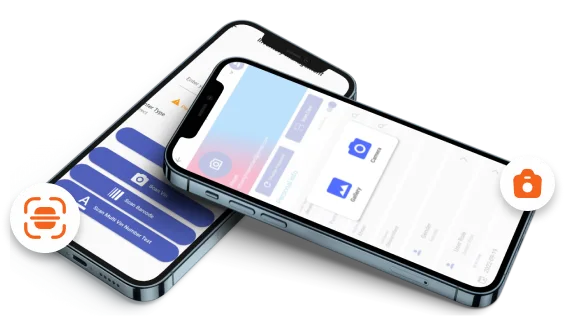
Capture a VIN the way it appears
Typing a 17-character VIN by hand is slow, and a single wrong character means the wrong vehicle details. The HillzDealer VIN scanner captures VINs in several ways so staff can use whatever is in front of them.
- VIN barcode scanning
- Printed VIN text (OCR)
- Handwritten VIN recognition
- Desktop and mobile scanning
Scan from the vehicle or its documents
Scan the VIN plate through the windshield, the sticker on the door jamb, a vehicle registration, a title or other vehicle documents. Mobile scanning is useful on the lot, during a trade-in appraisal or at an auction, while desktop scanning suits paperwork at the office.
- Windshield VIN plate
- Door-jamb sticker
- Vehicle registration
- Title and other documents
Decode available vehicle information automatically
Once the VIN is captured, HillzDealer decodes it through a third-party vehicle data provider and fills in the available decoded vehicle information, so staff are not looking up specifications one field at a time.
The data available varies by VIN and vehicle. Your team reviews the result and adds anything the decoder does not supply before the vehicle is published.
- Year, make and model
- Trim and body
- Engine and transmission
- Drivetrain and fuel type
- Options and features
- Other available specifications
From scan to a complete inventory record
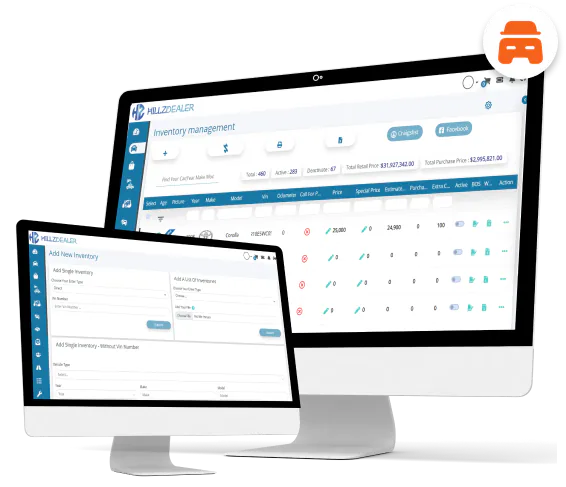
The scanned VIN starts the vehicle record in your car dealership inventory software. From there the team adds acquisition costs, pricing, photos and status, tracks vehicle reconditioning and publishes the vehicle to your dealer website and Facebook Marketplace.
Accurate VINs and specifications carry through to deals and the Bill of Sale, accounting and reporting, so a mistake is not repeated in every document that follows.
VIN scanning in the mobile app
The HillzDealer mobile app puts the VIN scanner in the hands of buyers, lot staff and salespeople. Capture a trade-in during an appraisal, add an auction purchase before it arrives, or check a unit on the lot without returning to a desk.